Your TU life.In one app.
Tutiva pulls your timetable and courses straight from TISS, signs you in to TU automatically and reminds you of everything that matters. Fast, available offline and without tracking.

For iPhone, iPad and Android
Next course · in 34 min
EDP1 VU
EI 7 Hörsaal
Authenticator
482 913
Hand in exercise sheet 4
Features
Everything you need at TU. Nothing you don’t need.
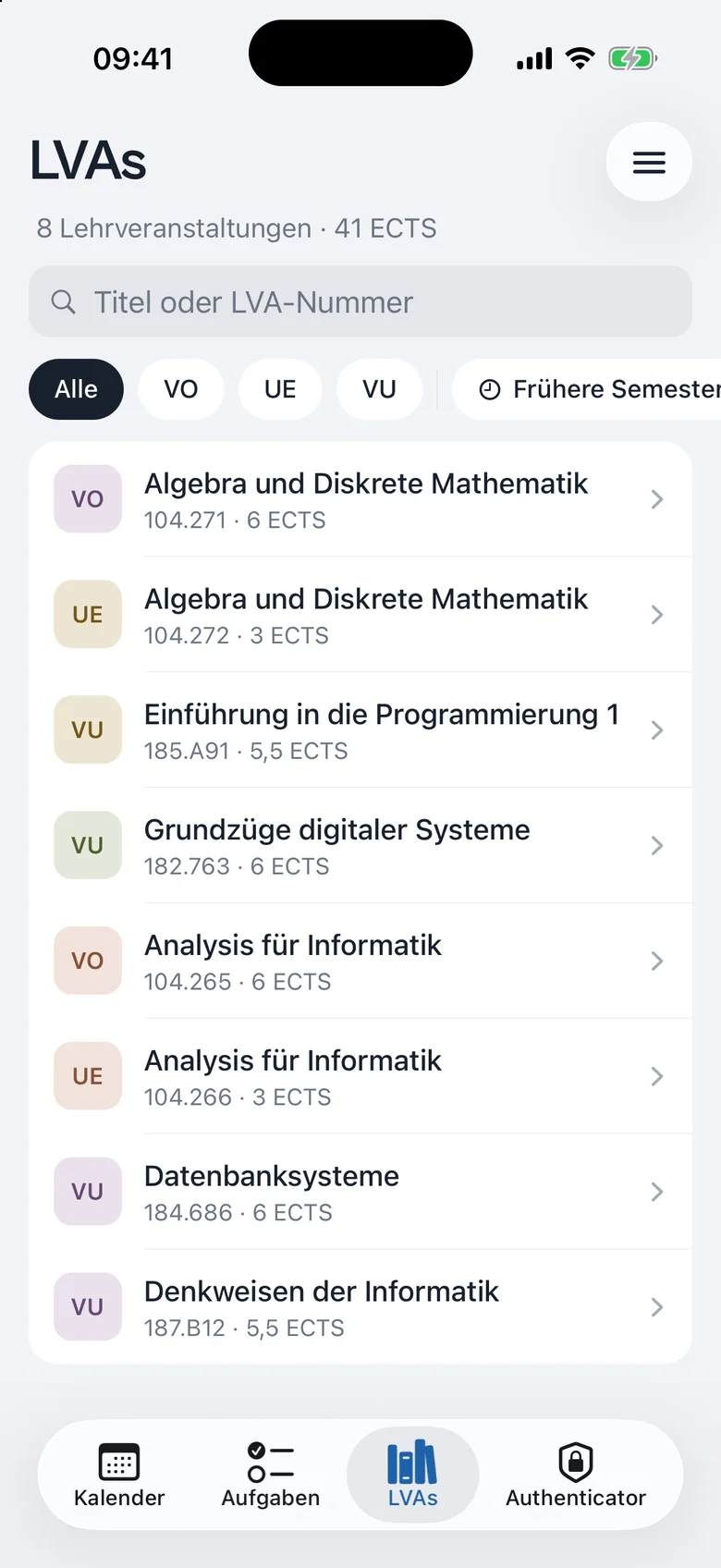
All courses at a glance
Your courses from TISS with type, group and ECTS. Filter by type, show past semesters or hide individual courses.
- Algebra und Diskrete MathematikVO
- Algebra und Diskrete MathematikUE
- Analysis für InformatikVO
- Grundzüge digitaler SystemeVU
- Denkweisen der InformatikVU
- Programmieren 1VU
Works offline
Calendar and courses are stored on your device, even in a lecture hall dead zone.
No signal? Your timetable is still there, even in the basement of the Freihaus.
Calendar subscription
One link that keeps itself up to date. For Apple, Google or Outlook. Hidden courses stay out.
- Apple Calendar
- Google Calendar
- Outlook
TISS, TUWEL & more
Sign in once, signed in everywhere. No more logging in over and over.
Made for iPhone, iPad and Android
A native app with Liquid Glass on iOS 26, its own sidebar on iPad and reminders as real notifications.
Timetable
Your timetable. Finally clear.
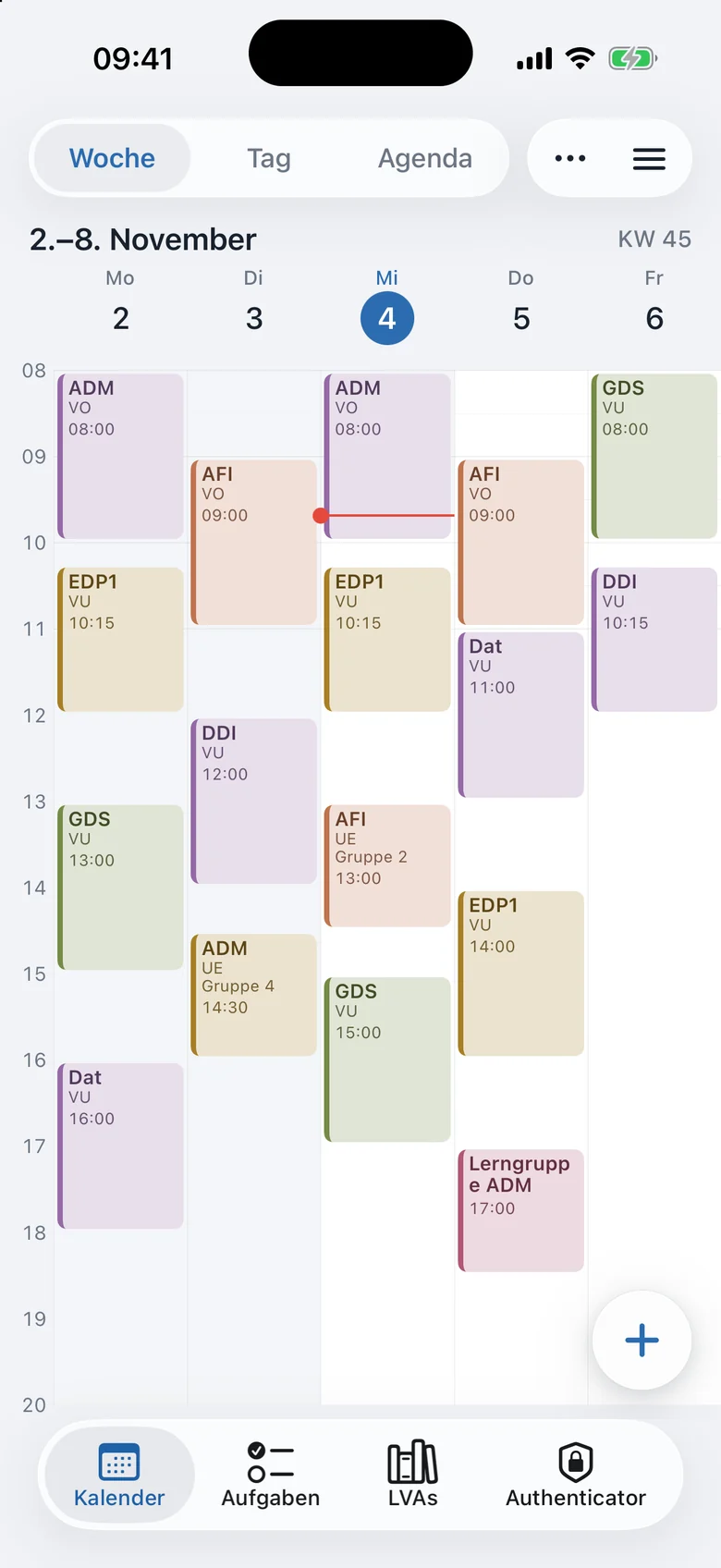
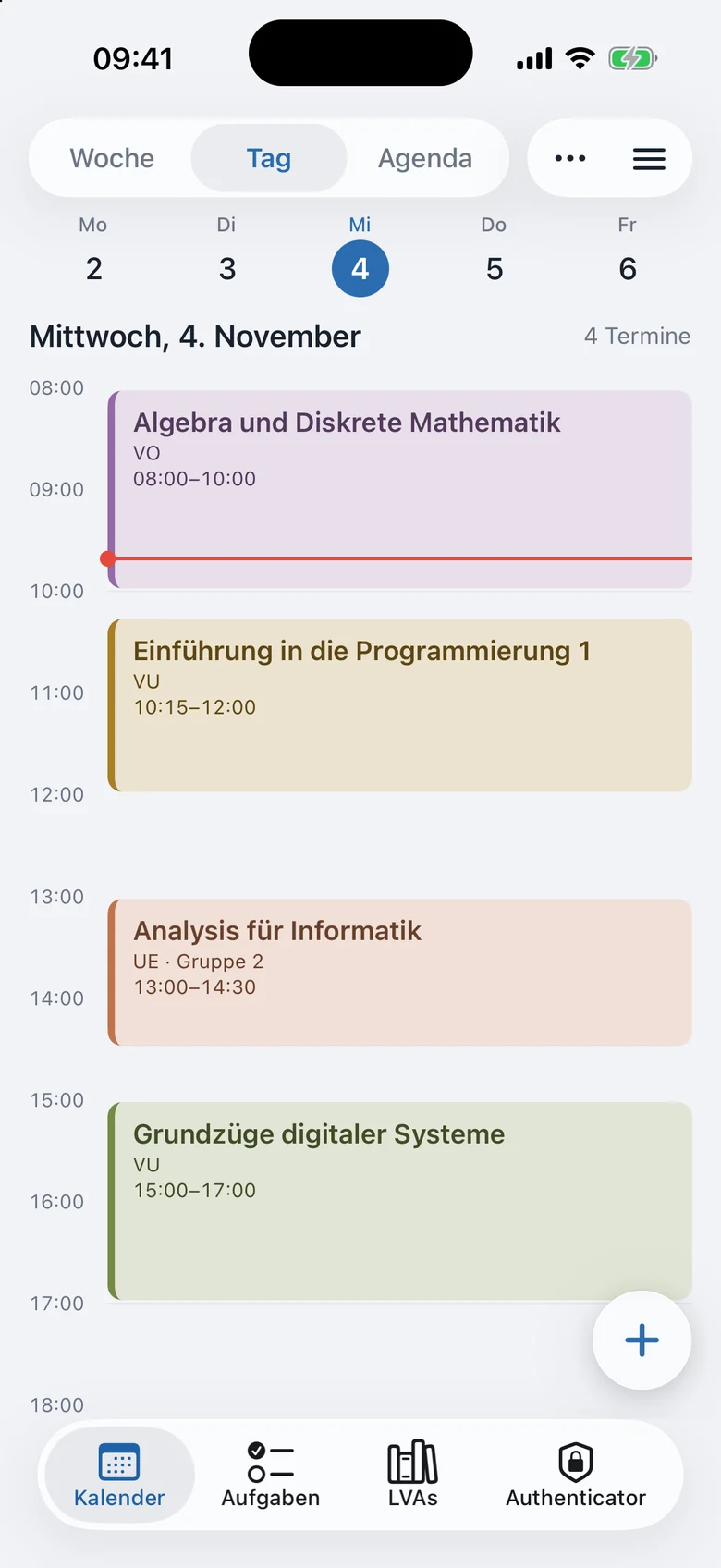
Week, day or list: Tutiva loads your events straight from TISS, colours each course and shortens long names so everything fits in the week. Give it a try.
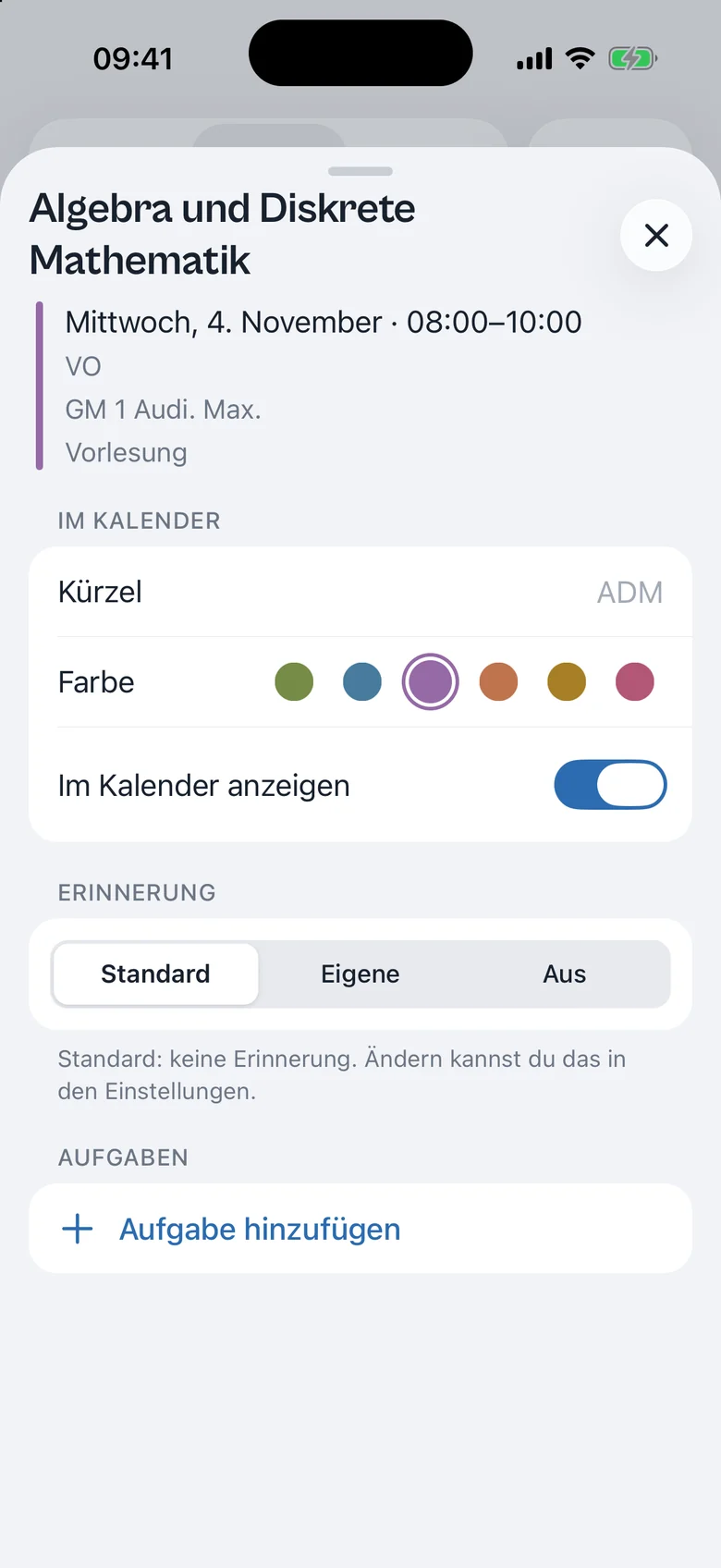
Tip: tap a course to change its colour and reminder.
Authenticator
Never type codes again. Tutiva signs you in.
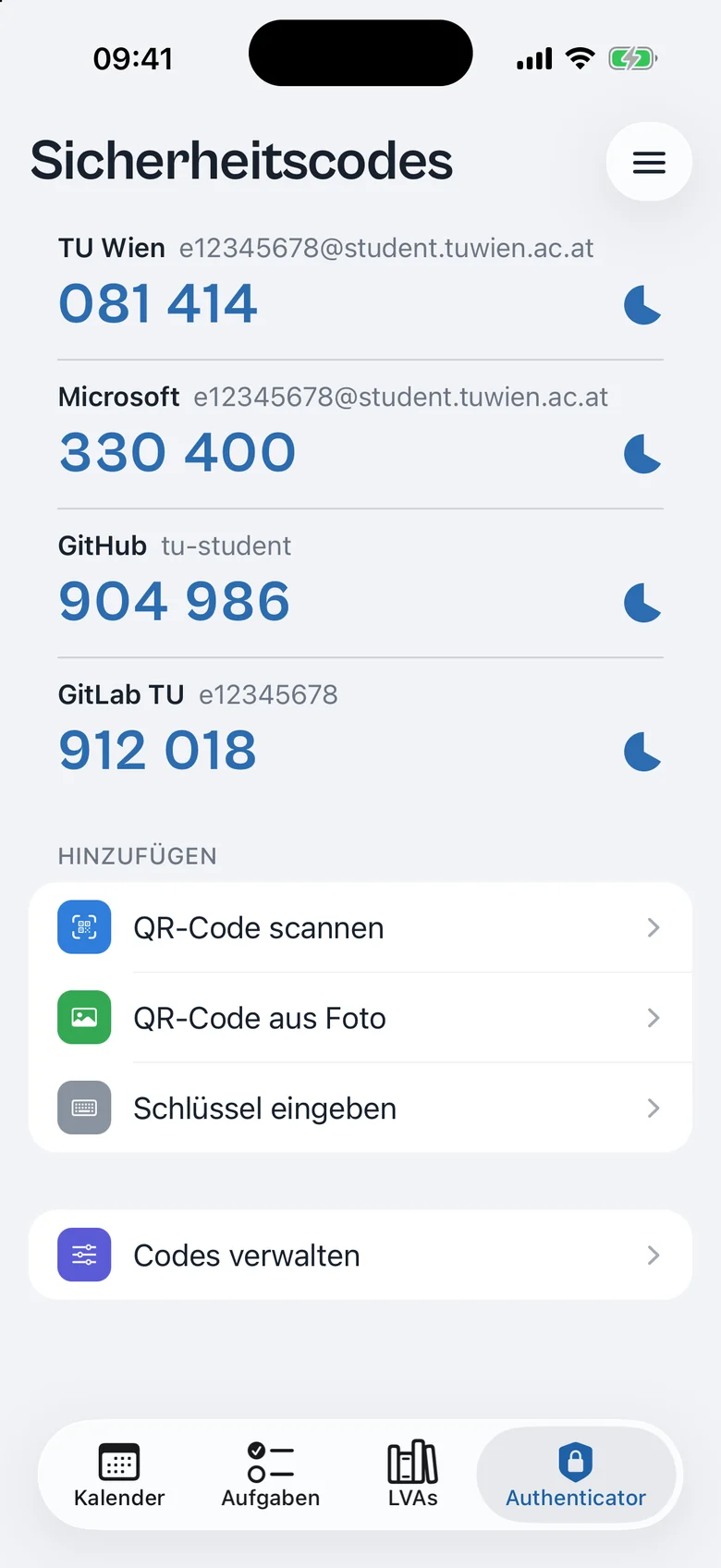
The built-in Authenticator generates your two-factor codes, for TU and any other service. Add codes by QR code, image or setup key, bring them over from Google Authenticator and optionally lock them with Face ID.
Automatic TU login
Session expired
Tutiva notices when you open the app.
Credentials from the keychain
Stored only on your device.
Generating code
The right TU code, freshly generated.
Signed in
Without you typing a thing.
TU Wien
TU login · matched automatically
Real codes, generated live. Tap to copy.
Tasks
4 open- GDSThu 18:00
- PROG1Fri 12:00
- ADMWed 9:45
- ADM
Tasks & reminders
Submissions sorted. No extra app.
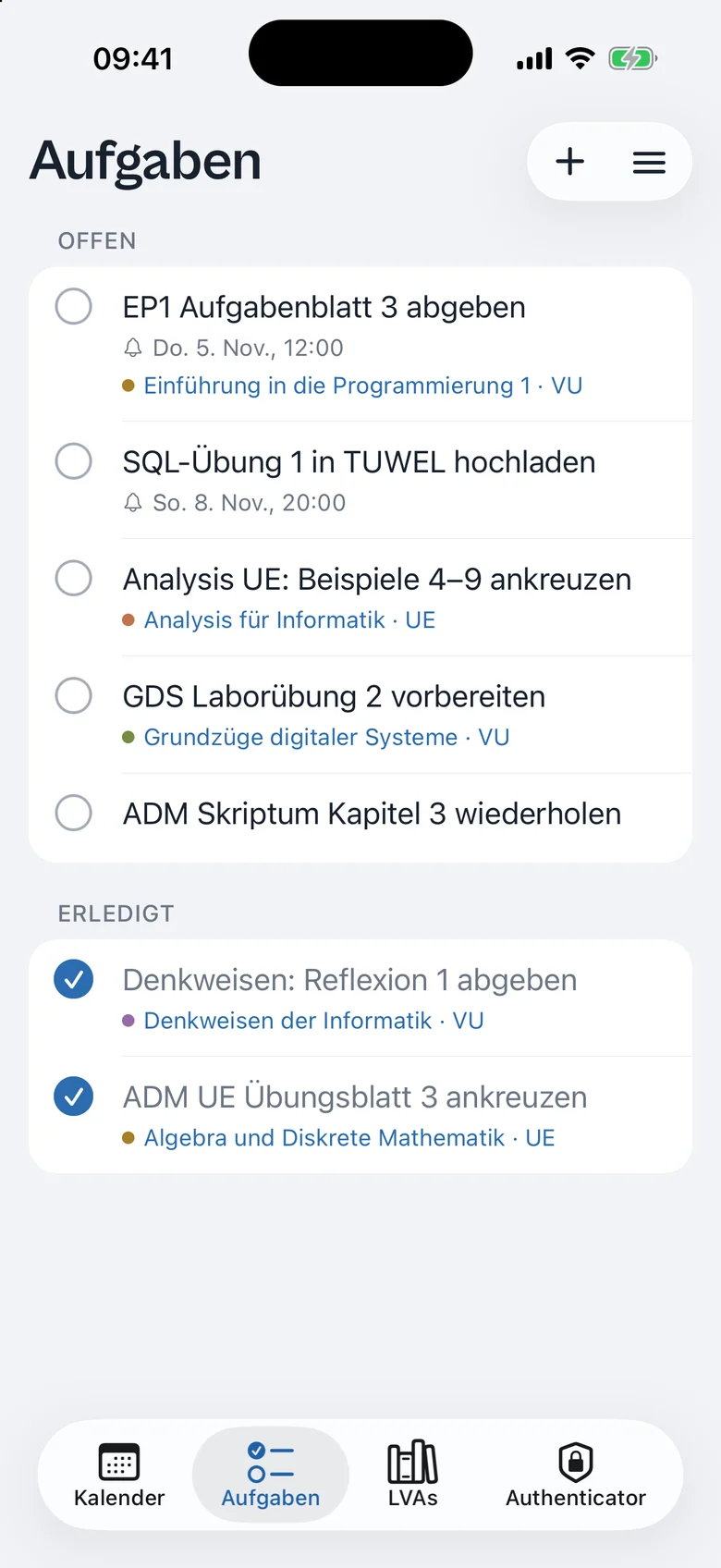
Note down tasks, link them to an event and get reminded in time. For each course, you choose how early you hear about it. Reminders run locally on your device.
Sneak peek
This is Tutiva.
Drag, flick or tap your way through the stack. Every screen comes straight from the app.
Compact timetable with a colour per course.
Privacy
Your data stays with you.
Tutiva stores almost everything on your device only. The server only knows an encrypted TU session, so you stay signed in.
On your device
Password & codes in your keychain
- Timetable & events
- Courses & colours
- Tasks & reminders
- TU password
- Security codes
- Settings
On the server
only the bare minimum
Encrypted TU session
So you stay signed in. Tap “Verbindung trennen” (Disconnect) and it’s gone.
- No ads
- No tracking, no analytics tools
- No password, no codes
We don’t even know whether you went to your lecture today.

Ready for the semester?
Get Tutiva for iPhone, iPad and Android.
No. Tutiva is an independent project and isn’t affiliated with TU Wien. The data, however, comes straight from TISS and the other TU services.
Tutiva is coming to the App Store for iPhone and iPad and to Google Play for Android. The links above take you straight to the app as soon as it’s available.
With your regular TU account, directly on TU Wien’s sign-in page, two-factor code included. You don’t need a separate Tutiva account.
Only if sign-in worked, and then only in your device’s secure storage (Keychain or Keystore). Your password and security codes never leave your device. Two-factor codes are never saved.
Yes. Tutiva reads Google Authenticator’s export QR codes, even if there are several. You can also add codes with the camera, from an image or with the setup key.
Yes, through a subscription link that updates automatically. Hidden courses aren’t included, and you can revoke the link at any time.
Yes. Your most recently loaded timetable, your courses and your tasks are available offline too.
Sadly, you’ll still have to do the studying yourself. But you’ll never miss a submission or a lecture hall change again, and that’s something.
Contact
Questions, feedback, ideas?
Drop us an email. We read everything and reply as fast as we can. Mensa tips are welcome too.